Preparing a quote, investigating a quality problem or explaining yesterday's output often starts with the same work. Someone has to find the right records. Job costs may be in the ERP, inspection results in a separate report and the latest drawing in a shared folder. The information exists, but bringing it together takes time before the actual task can move forward.
Claude for Manufacturing is designed to help with that work. Anthropic's new plugin uses a manufacturer's own records to support tasks such as quoting, quality investigations, maintenance and production reporting. It can help gather the inputs and prepare a draft for the person responsible to review.
For teams that spend much of the day searching through systems and documents, that could be very useful. So what can Claude for Manufacturing do in practice, and where do its limits become visible?
What is Claude for Manufacturing?
Claude for Manufacturing is a plugin for Anthropic's AI assistant, launched on November 12, 2026. Anthropic announced 17 skills covering work in areas such as estimating, quality, maintenance, supply chain and production reporting. These skills give Claude instructions for carrying out specific manufacturing workflows.
For a request for quotation, or RFQ, the workflow might begin by reading a drawing and listing missing requirements. It can then use similar past jobs to help prepare a draft estimate. This sequence matters because the price depends on the work required to make the part. A draft is easier to review when the estimator can see which operations, costs and assumptions it is based on.
The plugin can work with records through connections to Oracle NetSuite, Infor, Microsoft 365 and Autodesk Fusion. The systems connected and the user's permissions determine which information it can reach. Those records give the workflow its factory context, including the jobs completed before, the procedures in use and the conditions recorded in production.
How can Claude support everyday manufacturing work?
Quoting shows why that context matters. Two parts may look similar on a drawing but require different work on the shop floor. A different alloy may take longer to machine. A tighter tolerance may need another inspection step. A smaller batch spreads the setup cost over fewer parts. Claude can help an estimator find comparable jobs and bring their material costs, routings and processing times into a draft quote. The estimator can then examine the differences that would change the price, with the supporting records already at hand.

How a draft quote moves from source records to estimator review
The same records become useful for another reason when production quality changes. Suppose a dimensional defect appears across several batches. Inspection results establish which parts failed, but they may say little about why. A quality engineer also needs to know when the batches ran, which machine processed them and what changed in the tooling or process. Claude can help bring those records together for a root cause analysis. If all affected batches followed a tooling change, the engineer has a specific relationship to investigate before choosing a corrective action.

Investigating a defect requires checking the evidence
Establishing that relationship may require looking beyond the quality records. Tooling wear, a change in machine condition or an earlier repair could help explain what the inspection data shows. Maintenance records provide that history. When a machine stops, technicians need much of the same information to work out what to check first. Claude can help locate the relevant manual section, repair notes and sensor readings, giving the technician a clearer starting point for the equipment checks.
A quality problem or machine breakdown also changes what the factory can complete during the shift. That information needs to reach production management as well as the engineer or technician. Claude's daily production reporting workflow can collect output against plan, equipment downtime and order updates into one report. A supervisor can use that overview to see where output fell short, which orders are affected and what needs attention.

How the plugin supports a manufacturing task
How does Claude use ERP data and manufacturing records?
The examples above rely on records that are often kept in different systems. An ERP may hold job costs and routings, a maintenance system the repair history, and shared folders the drawings and work instructions. Connectors let Claude retrieve supported records within a task. For systems without a direct connector, teams can make regular exports available through Microsoft 365. Setting up a workflow therefore starts with identifying the records needed to answer the question and how Claude will receive them.
Access to those records also defines what can happen next. Anthropic's Infor connector supports looking up information. Infor's separate Industry AI for Claude offering supports approved changes in some Infor workflows. Teams need to establish which actions their setup allows and where approval is required. That makes it important to choose a first workflow whose inputs, result and review steps are clear.
How can a team start using Claude for Manufacturing?
Claude for Manufacturing is available through Claude's plugin directory on paid plans, subject to company access settings. Anthropic's public repository is described as a reference implementation. Before setting up a workflow, check the current plugin and connector instructions, the records it needs and the review steps for any proposed changes.
Start with a task the team performs often and an answer it can check against known records. For example, ask Claude to find the maintenance procedure and repair history for a known alarm. This tests whether it can find the right document revision and equipment records before the team relies on it for a less familiar problem.
Compare that with the technician's usual process, including the time spent checking sources and correcting the answer. Also try an old export or a missing record. Does Claude identify what is missing, and can the reviewer trace the answer to its source? These checks show whether faster preparation reduces the total effort needed to complete the task, and also make the limits of the workflow easier to see.
Where does Claude for Manufacturing reach its limits?
The first rather obvious limit is the information available to the workflow. An ERP export taken before a breakdown may still show the machine as available. A maintenance note may say the repair is finished without confirming that production has restarted. Both records may describe different points in time correctly. Connecting them does not by itself establish the machine's current state. Someone needs to resolve that gap before a supervisor uses the report to promise a completion date.
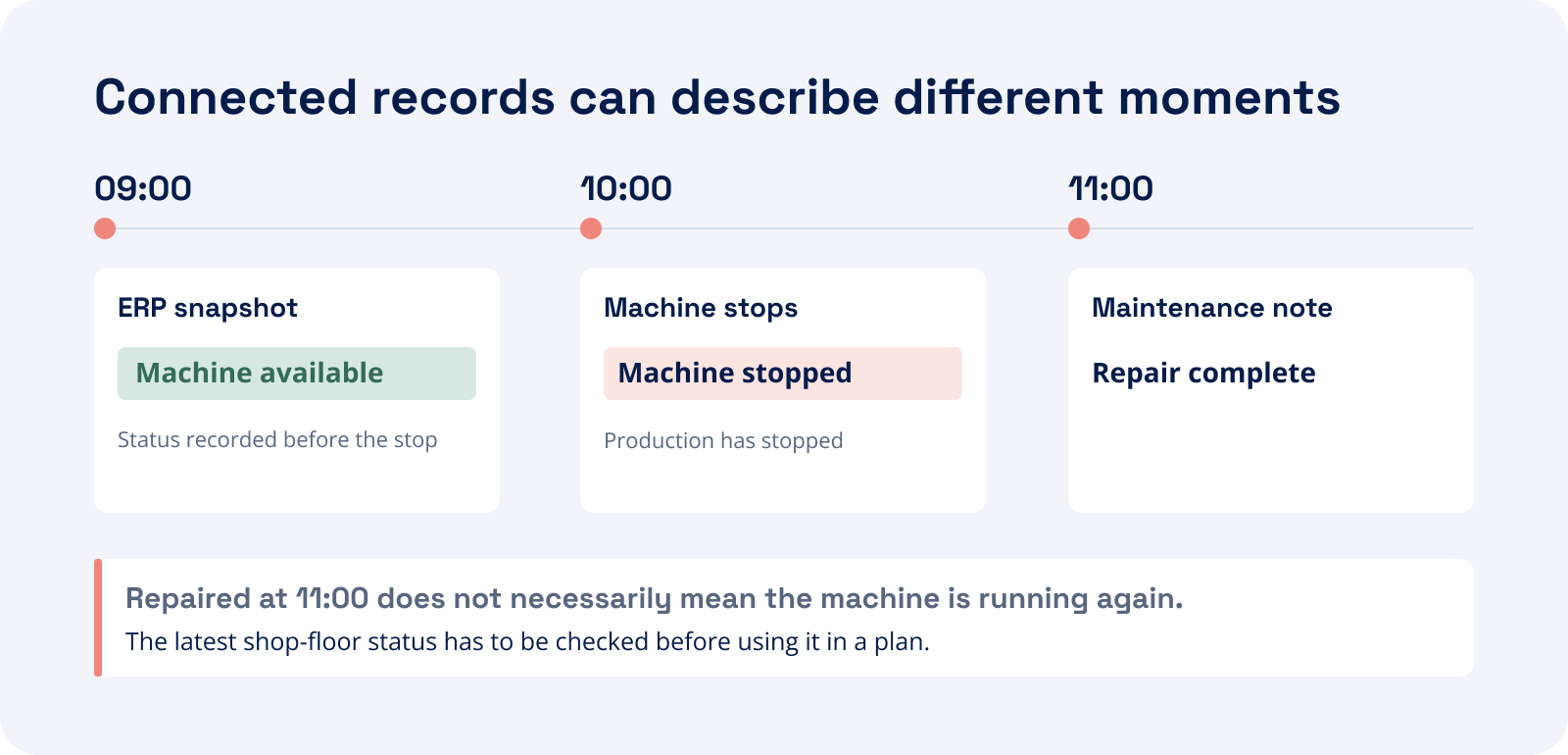
Data availability and data accuracy are different things
Even current records may support more than one explanation. Higher vibration before a stoppage could point to a worn bearing, but readings taken at different speeds or loads may need another interpretation. Claude can organize the evidence and suggest what to investigate. Measurements and equipment checks then establish whether that explanation fits. The same principle applies to a quote or quality report, where the assumptions behind the answer need to be checked before the result is used.
The next limit concerns what a proposed action would change. Confirming that a machine is unavailable tells a planner which work is affected. Choosing where that work should run requires checking its effect on other orders and resources. Anthropic addresses this directly in the documentation for the daily production reporting skill. It allows limited schedule proposals with explicit checks, but excludes replanning the full day or sequencing every job across the plant. The document states, “This is not finite-capacity scheduling.”
Why does production scheduling need a different approach?
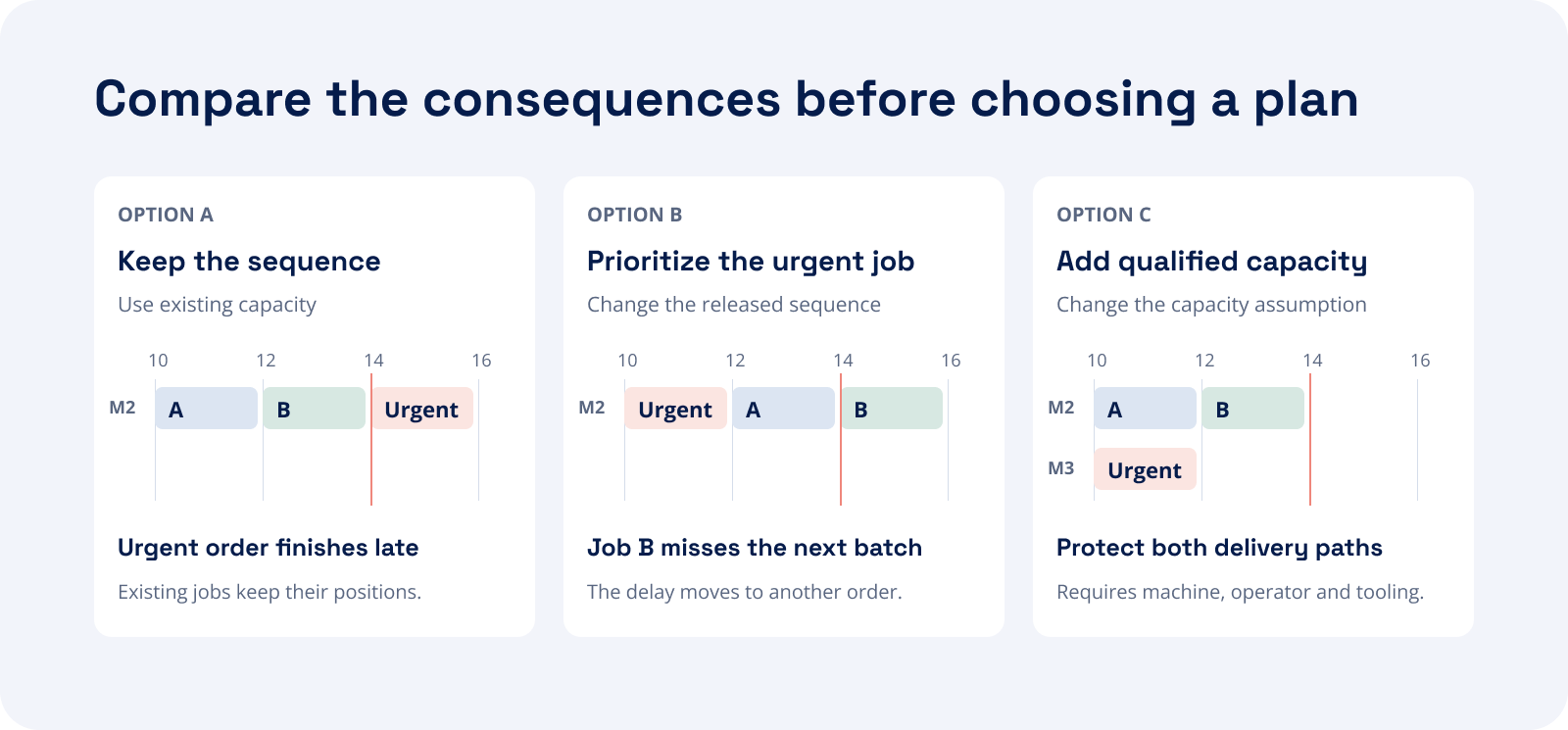
Consider a milling machine that stops at 10 a.m. An urgent order still needs its final milling operation. A second machine can perform it, so moving the work there looks like a reasonable response. However, that machine already has two other jobs waiting. The urgent order can only get a place in the sequence by changing when those jobs run.
One waiting job needs a shared fixture that is available only until 2 p.m. The other must finish in time for a heat-treatment batch. Bringing the urgent order forward may protect its due date but make the first job lose its fixture window. Keeping it behind the waiting jobs may protect their commitments while leaving the urgent order late. The urgent order also needs a different setup, so a new sequence changes how much machining time remains in the shift.
Adding hours needs the same level of checking. An extra shift increases machine availability only if the qualified operator and required tooling are available too. It may still leave a job waiting if heat treatment has already run its last batch. The apparent shortage of machine time can therefore come from a different resource or from the timing between operations.

Illustrative production disruption and shared constraints
Those dependencies explain why a proposed move has to be followed through the routing. Finishing milling an hour earlier may have little effect if the next batch runs tomorrow. Finishing just before today's cutoff could save a full day. Our article on production lead time explores how waiting between operations can outweigh the time spent processing the part itself.
Finite-capacity scheduling brings these relationships into one calculation. It checks how operations can be sequenced within the available machine hours, shifts, skills and tooling, while respecting the required order of production steps. A proposal to move one job can be checked locally. Rebuilding the day requires following the effects across all affected jobs and finding a sequence that can actually run. Comparing several such sequences adds the question of which one best meets the factory's priorities.
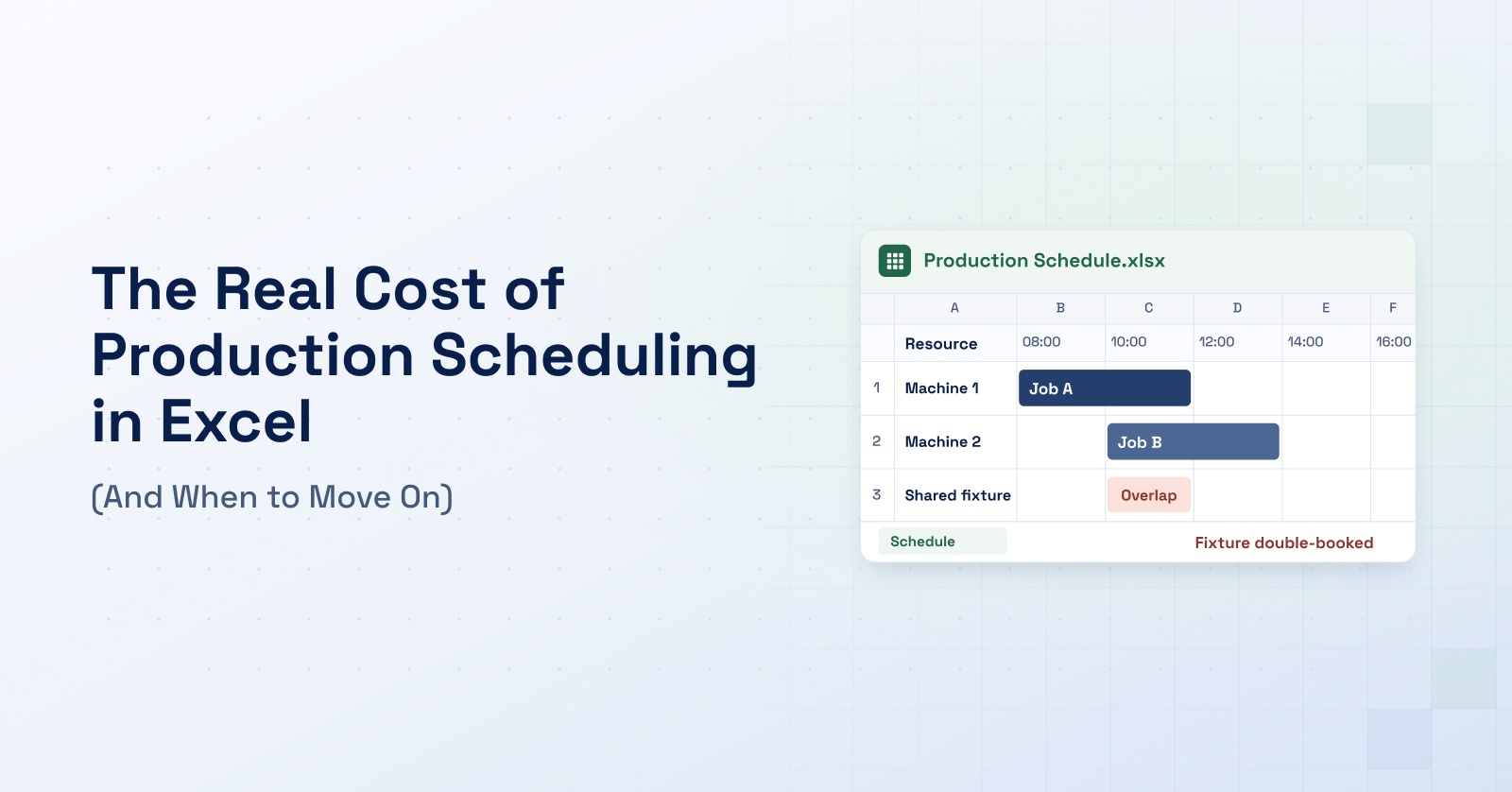
Checking one alternative by hand may be manageable. Checking another means revising the sequence and tracing its effects again, while the factory continues working. The first workable plan may be released before the planner has had time to find a better one. Our article on production scheduling in Excel examines how this checking work grows as more constraints enter the plan.