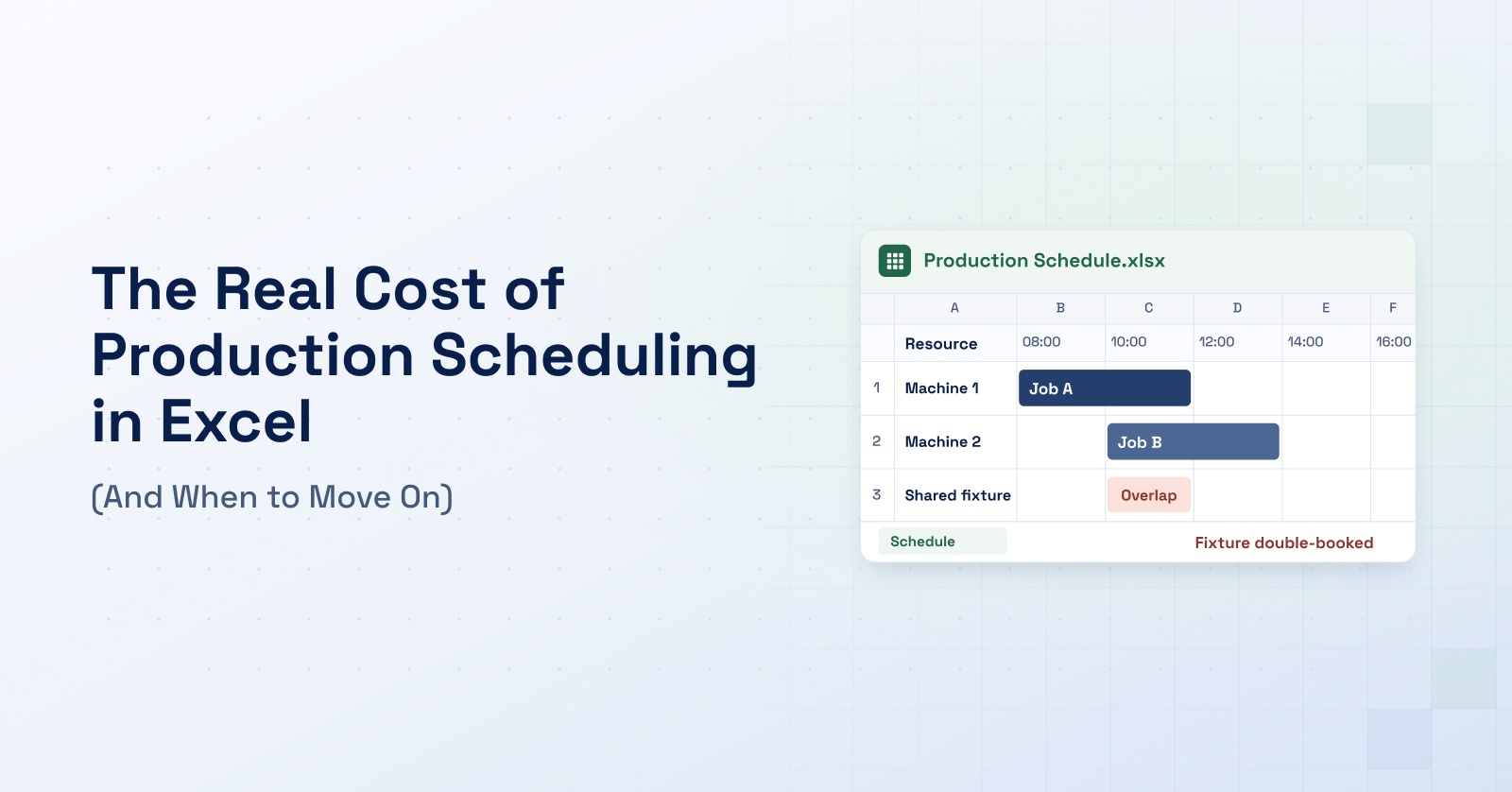
A production schedule can look straightforward in Excel. Orders are assigned to machines, the required hours fit into the week and completion dates appear to support the delivery commitments. Then an operation takes longer than expected, a fixture is needed elsewhere or a customer asks for an earlier shipment. The change may affect only a few cells, but understanding what it means for the rest of production can take a lot longer.
For the production planner, this is familiar work. One operation moves, another order needs a different slot and the revised sequence has to be checked before it reaches the factory floor. As production becomes more complex, keeping the schedule usable can eat much of the time that would otherwise be available to evaluate it.
This is where the cost of production scheduling in Excel becomes harder to see. Some of it is the planner's time. Some only appears later, in additional setups, overtime or delivery commitments made before their consequences were clear. The workbook may still do its job, while the effort required around it continues to grow.
Why Excel works well until the scheduling problem changes
Excel gives planners a practical way to organize production around the information they have. Orders, machine hours, material status and customer priorities can sit in one place, and the layout can be adapted without a software implementation project. In an environment with straightforward routings, limited resource conflicts and infrequent changes, that flexibility can be completely sufficient.
The difficulty emerges when the schedule has to coordinate more dependencies than the workbook explicitly represents. A monthly production plan may show that enough hours are available to produce the required quantities. A detailed schedule has to establish whether each operation can run on the right machine, in the right sequence and early enough for the next job to follow. As those relationships multiply, the planner has more to check every time something changes.
Enough machine hours do not make a schedule feasible
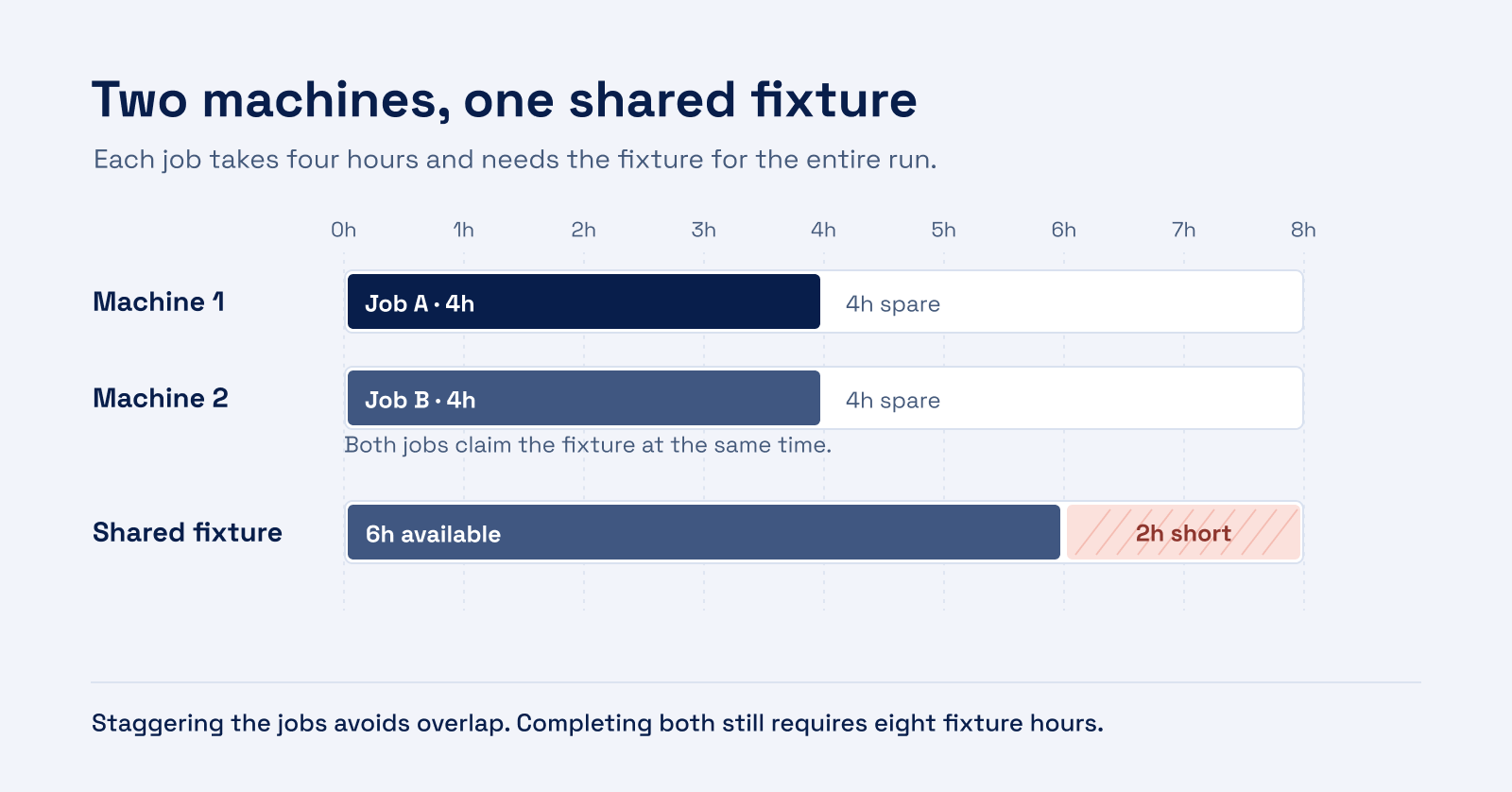
Consider two machines with eight available hours each. Assigning a four-hour job to each machine appears to leave plenty of spare capacity. But if both jobs need the same fixture throughout machining, they cannot run simultaneously. If the fixture is only available for six hours that day, the two jobs cannot both be completed within that window, regardless of the free machine hours.
Dependencies across a routing create the same problem. Moving a heat-treatment batch changes when its parts can reach grinding. The original grinding slot may then be unusable, and by the time another slot is available, the qualified operator's shift may have ended. The total processing hours have not changed, but the sequence that made those hours fit together has.
Excel can support these relationships through formulas, macros and optimization models such as those built with Solver. The work lies in representing the relevant constraints and keeping that model aligned with production. Where a relationship is missing from the workbook, someone has to remember it and check it manually.
Keeping the plan current leaves less time to improve it
Checking the availability of one fixture may be straightforward. The work grows when resolving that conflict changes the conditions for other orders. Moving an operation may free one machine while occupying another, create a different setup requirement or push a downstream operation beyond the end of a shift. Each adjustment leaves another set of consequences to check.
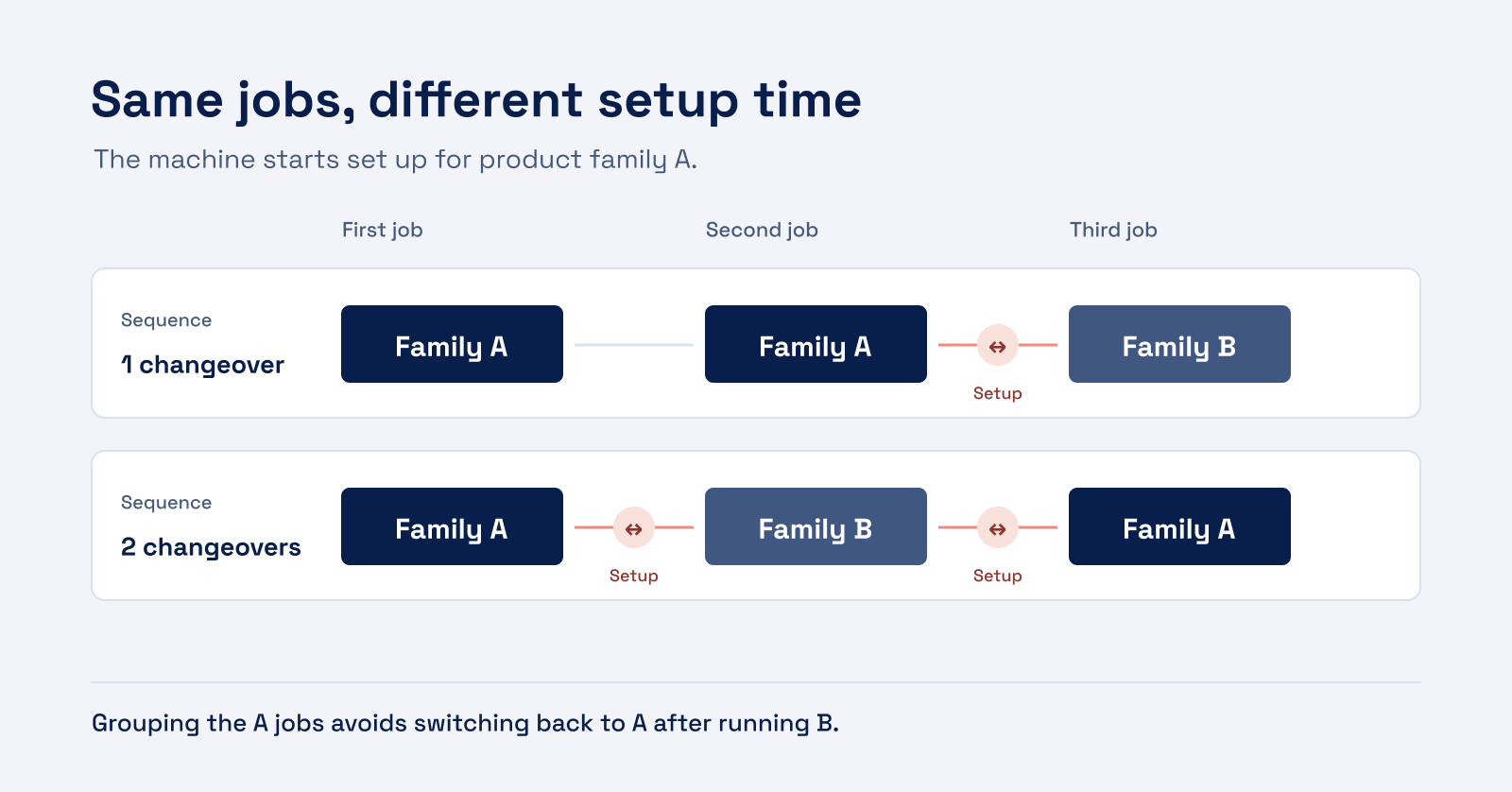
Suppose a machine is already set up for product family A, with two A jobs followed by a B job. Bringing B forward between the A jobs introduces a changeover from A to B and another from B back to A. That may be justified by the customer's due date, but the additional setup changes what can be completed during the remaining shift. A decision that protects one order can consume time needed by another.
The planner also has to establish what has actually happened since the last update. An operation may be partly complete, material may still be unavailable or a supervisor may already have prepared tooling for the original sequence. Collecting that information and communicating the revision can take longer than editing the schedule itself. Sharing a workbook helps teams see the same file, but the planning process still has to establish which version is approved and when production should act on it.
As this work repeats, the available time for comparing alternatives becomes smaller. The planner may still produce a workable schedule, but have little opportunity to explore whether a different assignment or sequence would make better use of the same resources.
The first workable plan may carry costs that another plan avoids
This becomes particularly important when a decision cannot wait. Sales needs to confirm a delivery date, production needs an updated sequence and an overtime shift has to be agreed before people leave. If each alternative requires another round of manual adjustments and checks, the team may have to commit before the comparison is complete.
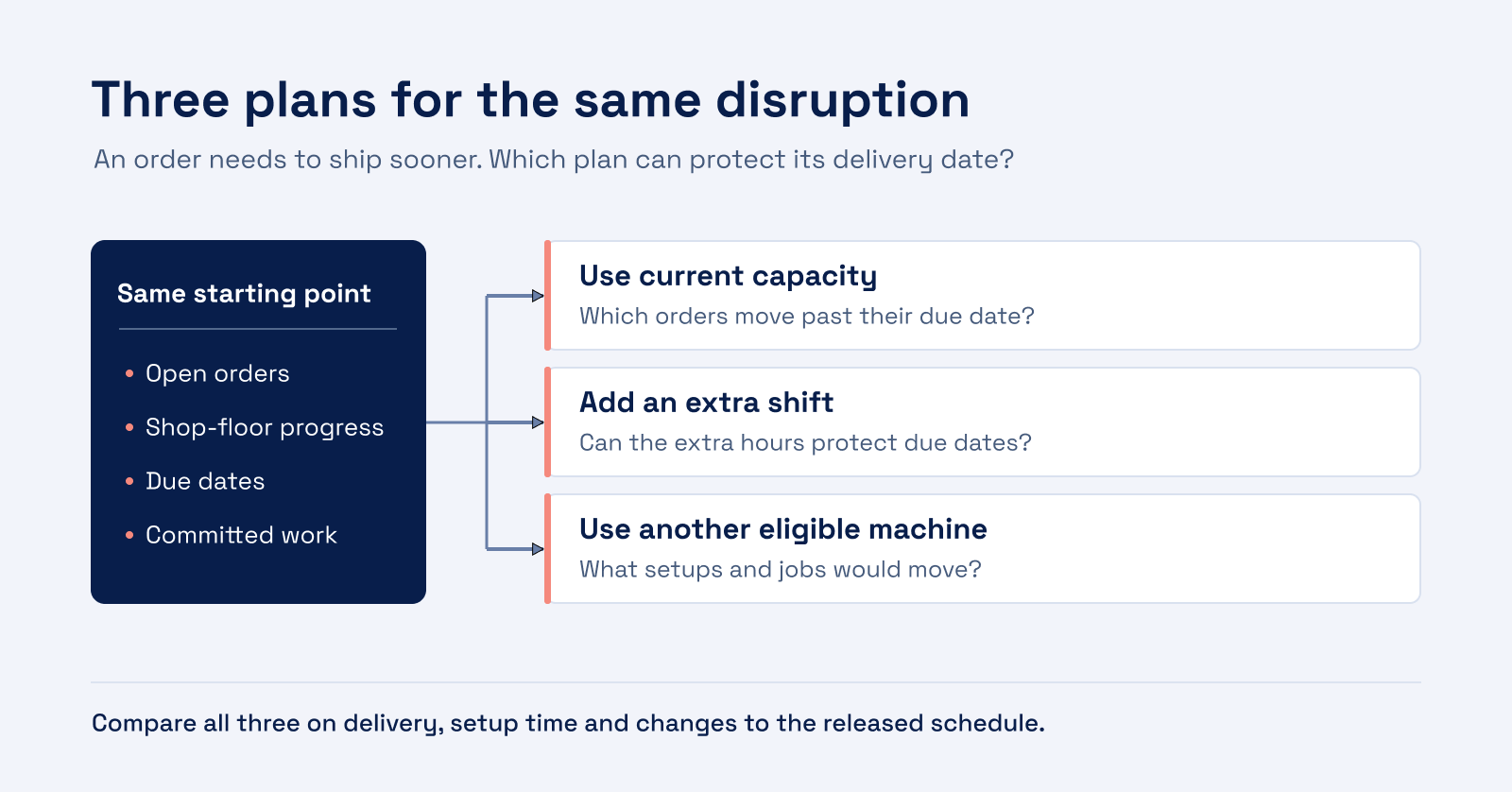
An extra shift might protect the urgent order. Moving it to another eligible machine might achieve the same result with a different setup cost. Changing the sequence might avoid overtime but delay another delivery. None of those options is universally preferable. Their value depends on the factory's current priorities and the effect on the remaining work.
When the comparison takes too long, those trade-offs can remain hidden until execution. Additional setups consume the remaining capacity, a displaced order becomes urgent or operators have to undo preparations for a sequence that has changed again. Our article on production lead time explains how these interactions create waiting even when capacity exists elsewhere in the factory.
Even an hour of lost production can have very different consequences. If a machine has a free slot later in the day, the delayed work may still be completed on time. If the same delay occurs on a fully loaded machine that several orders depend on, it can push their remaining operations back and put delivery dates at risk. Choosing a response means understanding which jobs are affected and where there is still room to recover the lost time.
Why these decisions often depend on one planner
In spreadsheet-based scheduling, much of that understanding can sit with the person managing the plan. An experienced planner knows which machine can take over an operation, how much longer it will take there and whether the right operator will be available. These details may never appear in the workbook, even though they determine whether a proposed change will work. The schedule can appear complete because the planner supplies the missing production logic.
That arrangement becomes more fragile during holidays, illness or a handover. A colleague can follow the formulas correctly and still produce an unworkable plan because the assumptions behind it are undocumented. Decisions may wait for the experienced planner to return, while adding orders or another planning area increases the amount of knowledge one person has to carry.
Preserving that knowledge means making repeatable rules explicit: eligible resources, realistic processing times, setup requirements and calendars. A scheduling system can then apply those rules consistently across alternatives. The planner's expertise remains essential for validating the model and handling exceptions, while colleagues gain a clearer basis for making everyday decisions.
Making the hidden cost visible
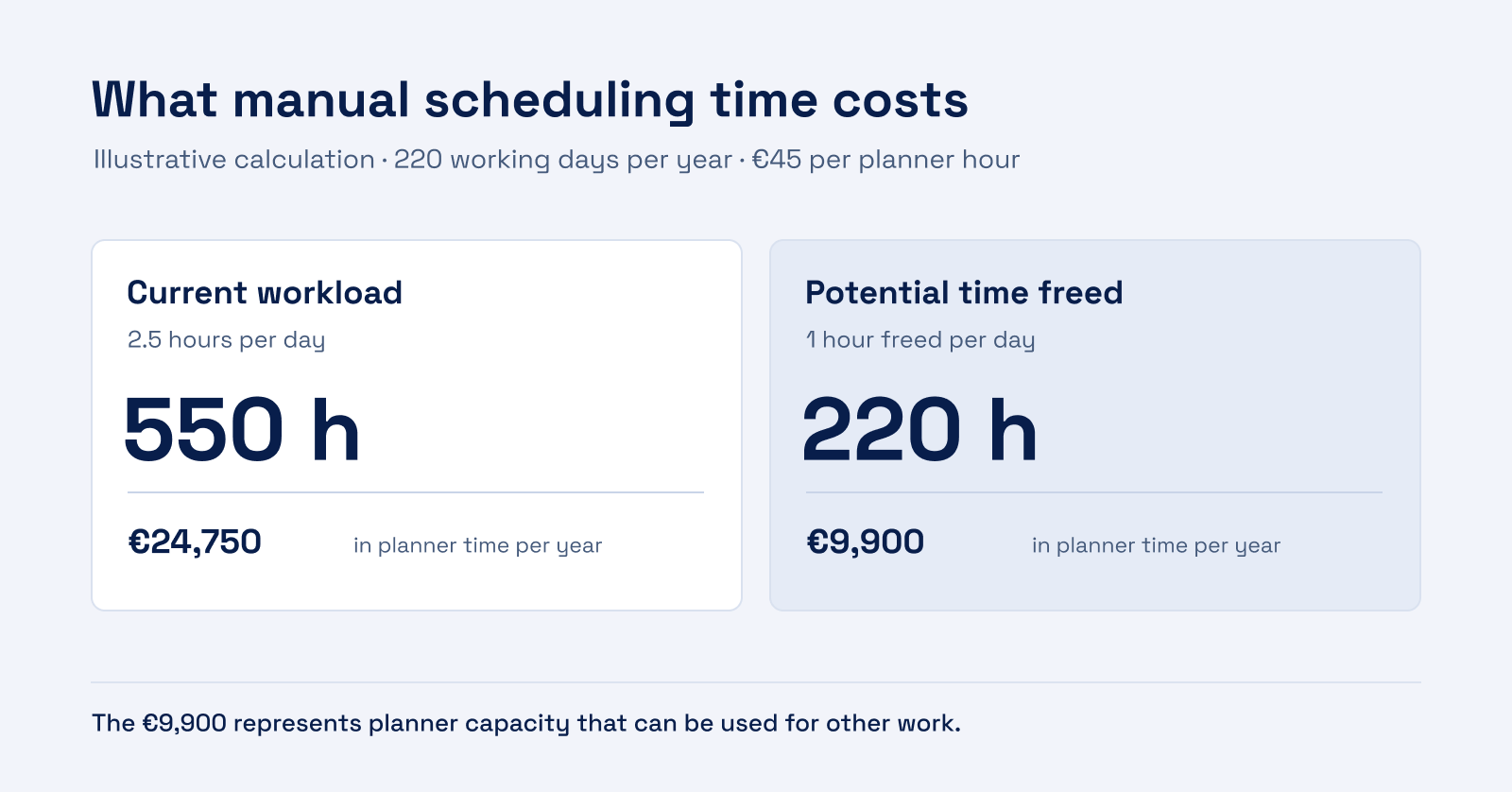
The time spent supplying that missing logic rarely appears as a separate cost. It is part of the planner's day, alongside collecting updates, checking revisions and explaining changes to colleagues. An illustrative workload of 2.5 hours per working day, over 220 working days at a fully loaded employment cost of €45 per hour, amounts to 550 hours valued at €24,750 per year. These are hypothetical inputs, rather than an industry benchmark, but they show how a modest daily commitment becomes substantial across a year.
If a pilot demonstrates that one hour per day can be freed up, its annual capacity value would be €9,900 (1 × 220 × €45). That time may be used for exception handling, supplier coordination or improvement work. Whether that also lowers labor costs depends on how the time is used.
The wider operational costs require more care. Overtime premiums, additional setups and expediting charges can be traced to specific events, but only some will be avoidable through scheduling. Counting the same lost production once as a machine-hour cost and again as lost contribution margin can overstate the business case. Software, implementation and ongoing data maintenance also belong in the comparison.
Observing a representative period, such as two working weeks, helps distinguish these effects. The relevant effort includes reconciling updates, building alternatives, checking them and communicating the approved revision. The time between learning about a disruption and releasing that revision also matters: it shows how long production waits for a decision, rather than only how long someone edits the file.